
Hot Head Burritos mascot

Important
Notice

Sign in with Apple Users

We recently had an app update that impacted "Sign in with Apple" users. No worries! Follow these steps to get back into your account. It only takes a minute.

Please close the Hot Head app before starting

Tutorial Sequence

Follow each step below to reset the connection and get back into your account.

1Step One

Confirm Error

Confirm you are receiving an "Authentication failed" error as shown. Once confirmed, please close out of the Hot Head app.
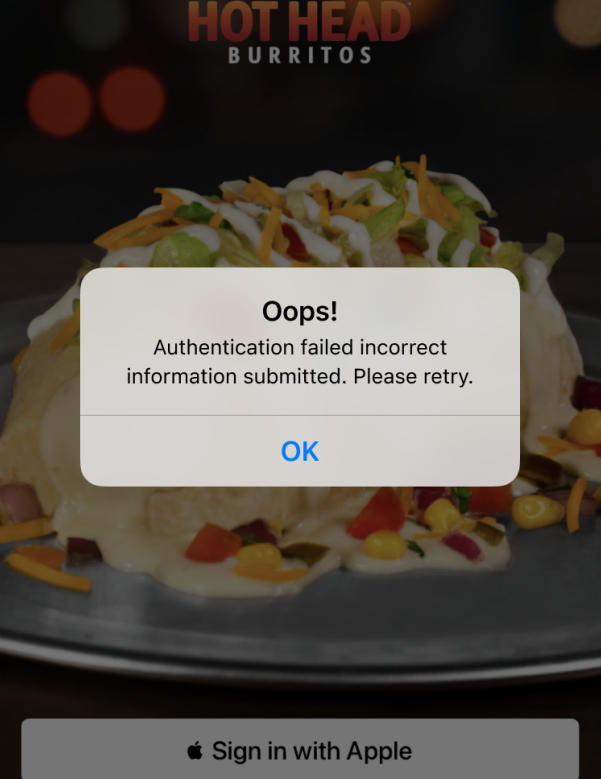
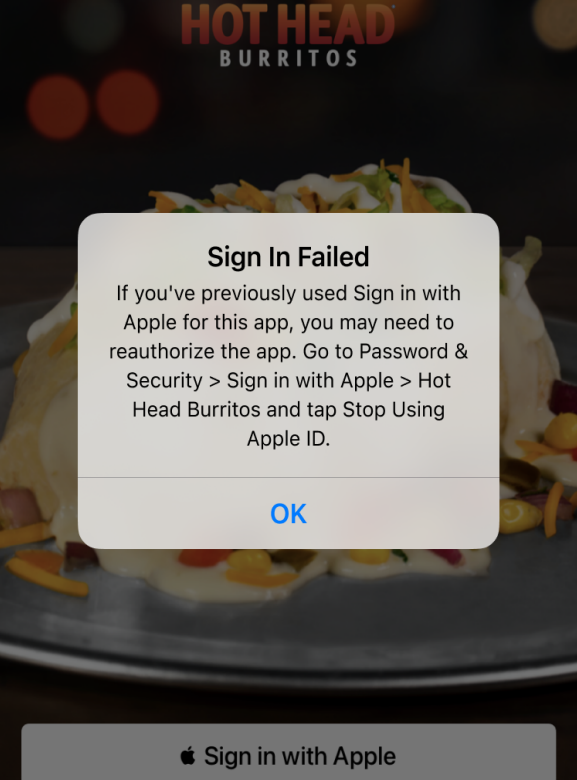
Authentication failed error screen Closing the Hot Head app
2Step Two

Open Settings

Navigate to your iPhone/iPad Settings app and tap on your Apple ID at the very top of the screen.
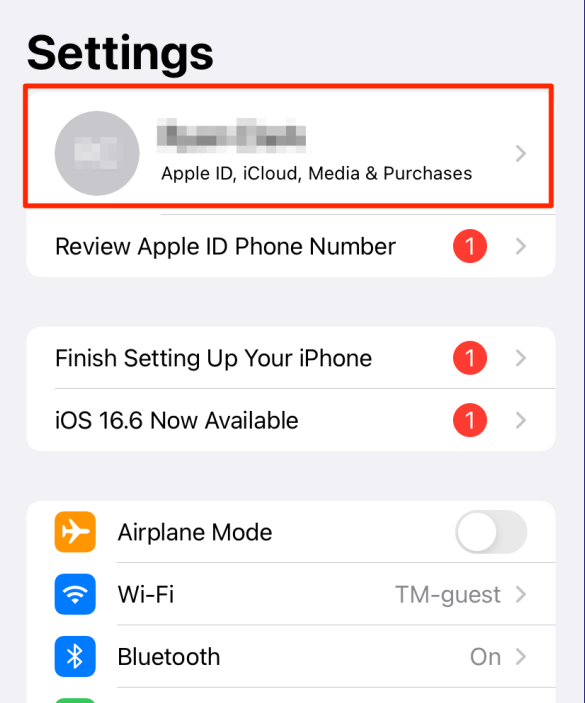
Settings menu showing Apple ID at the top
3Step Three

Security Settings

Tap on Password & Security or Sign-In & Security (this depends on which iOS version you have).
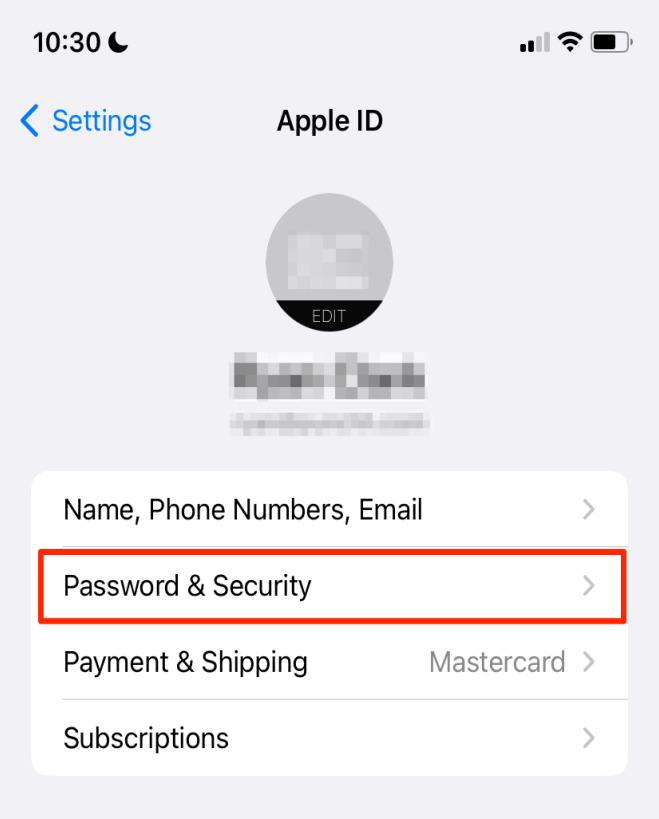
Apple ID menu showing Sign-In and Security option
4Step Four

Sign-In with Apple

Tap the Sign in with Apple option.
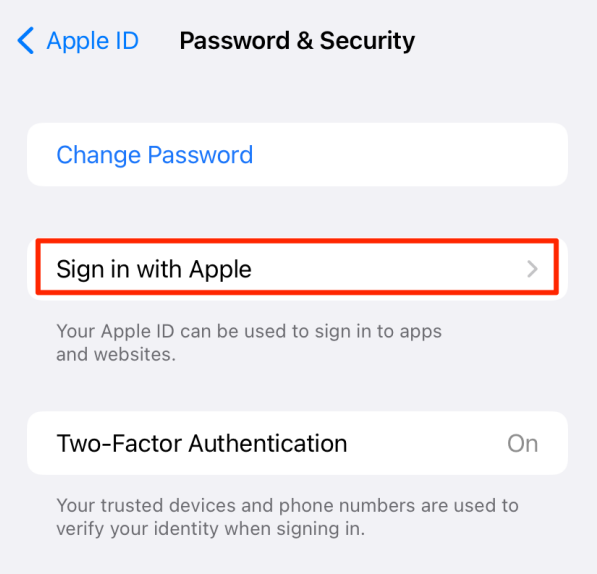
Password and Security menu showing Sign in with Apple
5Step Five

Find Hot Head

Find and tap on Hot Head Burritos in the list of apps using your Apple ID.
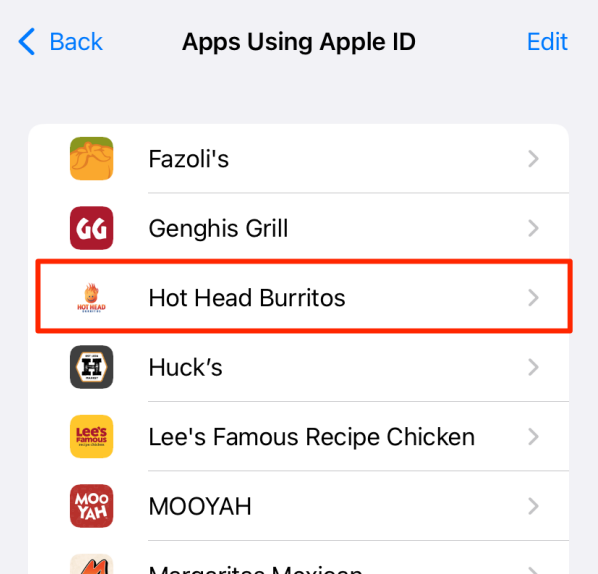
Apps using Apple ID list showing Hot Head Burritos
6Step Six

Reset Connection

Tap on Stop Using Apple ID. You are all done in the Settings app! You can now return to the Hot Head Burritos app.
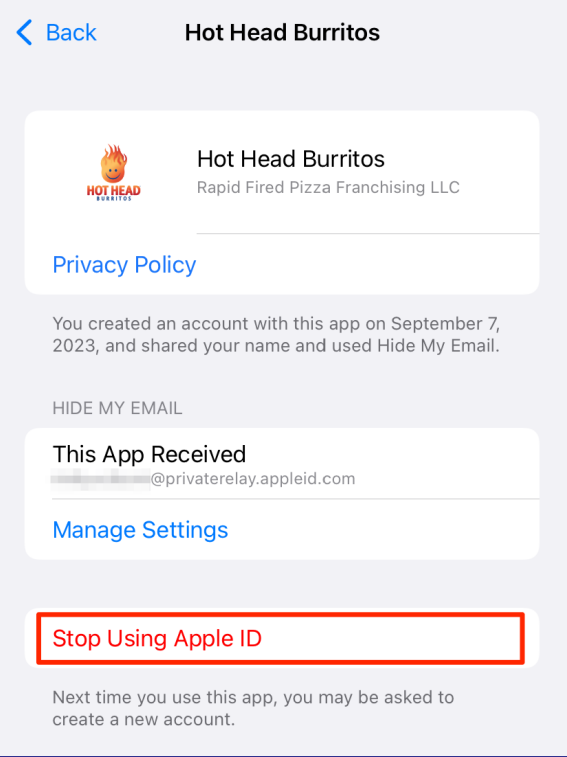
Stop Using Apple ID screen
7Step Seven

Welcome Back!

Open the Hot Head app, tap "Sign in with Apple", and log in. You're back in!

Successfully logging in with Apple ID

Thank You For Your Help!

Still having issues? Email us at:

appsupport@hotheadburritos.com
We use cookies and similar technologies to enhance your browsing experience, analyze site traffic, and personalize content. You can customize your preferences at any time.
Manage your cookie consent preferences.

These cookies are essential for the proper functioning of our website. They enable core functionality such as page navigation, access to secure areas, and basic user interface features.

These cookies enable the website to provide enhanced functionality and personalization. They may be set by us or by third-party providers whose services we have added to our pages.

These cookies allow us to count visits and traffic sources so we can measure and improve the performance of our site. They help us to know which pages are the most and least popular and see how visitors move around the site.

These cookies are used to deliver advertisements that are more relevant to you and your interests. They are also used to limit the number of times you see an advertisement and help measure the effectiveness of advertising campaigns.